TM SIM No Signal Issue Solution
When you have a problem TM SIM No Signal Issue then we are here for your help. Many users daily face these types of issues so don’t worry.First of all check that your sim is registered if not then go to TM SIM Registration for registering it.Now in this modern era you can fix your sim signals issues quickly online. It is not important to go to any store.
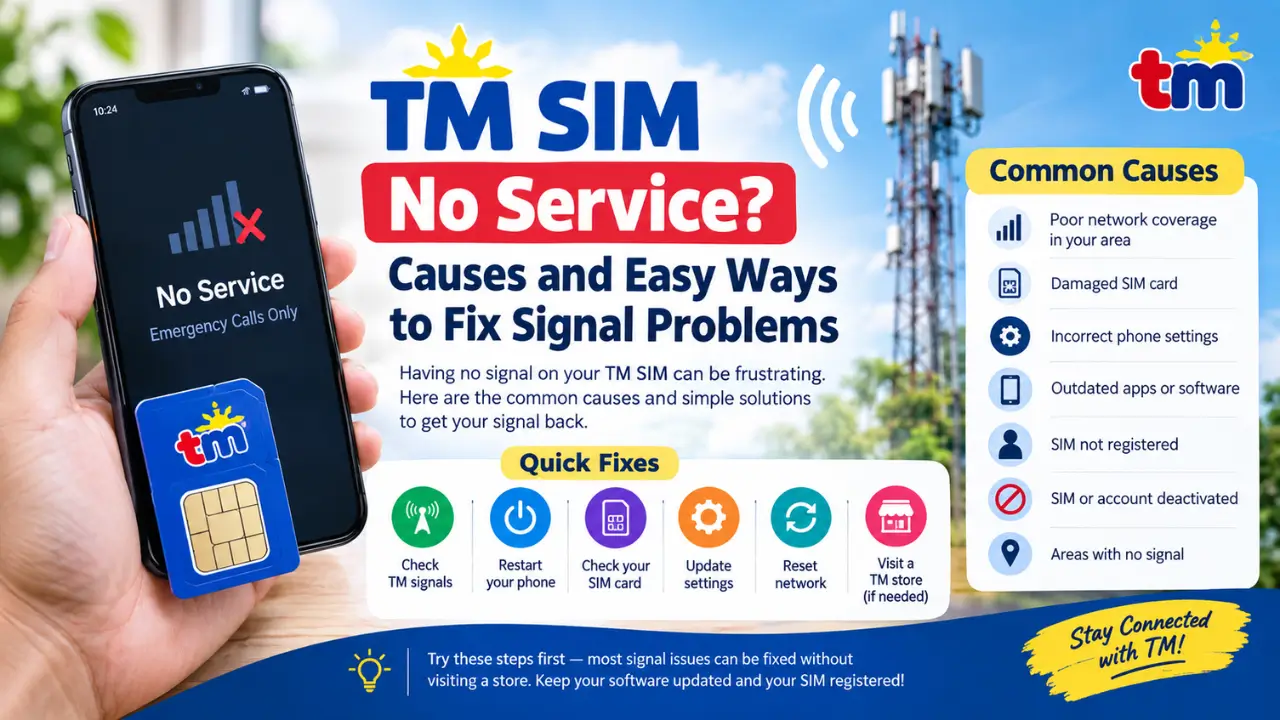
Some Causes Of TM SIM No Signal Issue
It’s most important to check the causes of no signals issue.We have tell you some causes:
- In some locations there is a problem of poor signals.
- My SIM card is broken.
- Your settings have an issue.
- Your phone apps or your phone is not updated.
- You do not have to register your SIM.
- Your SIM registration has been disabled for some time.
- You are in an area where SIM signals are not working.
Now you are able to apply the best methods according to your problem.
Methods To Resolve No SIM Service Problem
Verify TM Signals Availability
- First of all check that in your area TM or Globe signals are accurately available.
- Go outside of your home or if you are in any closed building.
- You have to ensure from official websites that about their signal.
- Check your device for signal availability.
Mobile restarting
- Sometimes it is helpful for you during signal problems.
- Power Off your mobile for sometime.
- Then power On it and check signal availability.
- It can resolve your issue sometime.
Inspect Mobile Hardware And SIM
- Check for any damage on your SIM that may be causing the problem.
- If it is damaged then go to the Globe store for a new SIM with the same number.They take some fee or sometimes it is free.
- Then re-register your SIM with the TM SIM Registration method.
Re-install Your SIM Card
- First take the SIM out carefully then clean it with a piece of cloth.
- Now after cleaning the SIM carefully take it in again.
- If your phone has multiple SIM slots then try changing the SIM slot.
On And Off Airplane mode
On the airplane mode in your mobile for a few seconds then turn it off.Then check the signals again it can boost the signals and reconnect mobile SIM with its network.
Refresh Mobile Data Settings
For Android:
- First of all open your mobile settings then go to connections and then open mobile networks.
- Then set your TM settings its
- Name:TM
- APN : internet.globe.com.ph
- MNC:02
- MCC:515
For iPhone:
- Go to the settings section on your device then open the network section.
- Insert new APN settings in it.
- After completing these settings you have to shut off and then on your mobile.
Look For Updates
Go to the app store or play store for checking any updated version of that app then update it and Off and then on your mobile sometimes old apps may cause signal impairment.
Check That Your TM SIM is Registered
Check that your TM SIM is registered if it is not registered then go to TM SIM Registration.
Mobile Network Reset
For Android:
Open settings go to management and then reset network settings.
For iPhone:
Open settings in your mobile then go to the general section and then reset network settings.
At Last TM Store Option
If anything does not work then go to the TM store at last.Now go to the store with your ID card and your damaged SIM that is causing the issue.
Advice To Avoid SIM Signals Problems
- Stop playing or cutting your SIMs.
- Make sure your account is activated anytime.
- Make sure that you have updated softwares.
- Before going to any area where you know signals are weak, check signal strength.
Conclusion
When you are using a SIM and it has no network or has signal issues then it may make you angry.First of all, keep trying to fix the problem by yourself. If you can’t solve the issue then go to the store to change it with the new SIM.Keep your softwares updated.
FAQs
How to fix the TM SIM signals problem?
It can be sometime resolved by restarting your mobile, or by resetting your mobile networks.
Can my SIM be deactivated?
If you stop using your SIM for 3 months then your website will be deactivated.
How does TM SIM lose signals?
It can be your location issue or due to SIM damage or software not being updated.